Resources: Light-Sheet Image Analysis Workshop 2026
This page will contain all the resources for the course
- Repository
Click here to see all material of the workshop
- Contacts:
Anibal Vargas: anibal.vargas@mayor.cl
Luz María Fuentealba: luz.fuentealba@umayor.cl
Charlotte Buckley: charlotte.buckley@umayor.cl
- Programme
Click here to download the programme for the workshop
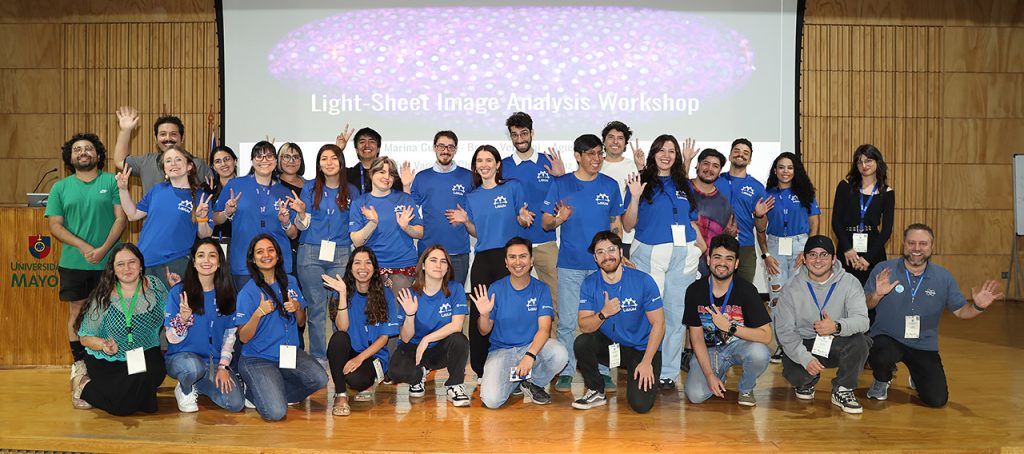
Please also note that we will be taking photos of the event and using them in social media coverage, and for future advertisement. If you do not want your picture used, please let us know beforehand.
- Poster Requirements
If possible, we ask that posters are printed in an A0 vertical format. Any other poster dimension we will try to accommodate, but we can’t guarentee that they will fit the board perfectly.
- Room locations
There will be conference staff and student helps on hand to move attendees between locations. In case an attendee isn’t able to join the main group, the locations of the different events are described below.
Theoretical Sessions: Sciences Auditorium
On entering the Sciences Building through the main entrance, take the stairs or lift down 1 floor to Piso -1, where you will see the entrance to the Auditorium
Practical Sessions: Computer lab
On entering the sciences building, take the stairs or the lift to Piso 5. Take the corridor between the lift and the stairs and pass the women’s bathrooms on your left hand side. The next left turn leads you the computer labs.
Poster Sessions
The poster session will be held in the Sciences Building, in the space outside the Sciences Auditorium. On entering the Sciences Building through the main entrance, take the stairs or lift down 1 floor to Piso -1. Poster boards will be in space between the lifts and the auditorium.
Coffee Breaks
Coffee will be held in the space outside the Sciences Auditorium, in the same space as the poster boards. On entering the Sciences Building through the main entrance, take the stairs or lift down 1 floor to Piso -1.
Lunch
Lunch will be held in the Catina in the Edificio Corporativo.
- Mapa Campus Huechuraba

- Connecting to the internet
To connect to the internet, you will need to send us the MAC address for your phone in this form before you arrive. To find your mac address:
- Open the “Settings” app
- Navigate to General > About (for iPhone) or About phone (for Android)
- The Wi-Fi MAC address will be listed under “Wi-Fi Address” (iPhone) or “Wi-Fi MAC address” / “Hardware Information”/”Status Information” (Android).
- Send us the information as soon as possible, so that we can get it added to the system.
Once you arrive on campus, we will show you how to connect to the network.
- Working pairs
During the practical sessions, attendees will work as pairs. Check your assigned pairings here.
- Required working materials
The only thing that attendees are required to bring is the data that they wish to analyze, preferably on a hard drive.
We remind attendees that if they bring their own datasets for analysis, these should be representative samples and not necessarily the entire dataset. We will not have time to run analysis protocols on large datasets of hundreds of GB, so we recommend pre-selecting representative data to develop your image analysis process, which can then be applied to your complete datasets.
If attendees require last minute adjustments to their datasets, an image analysis computer will be available to perform resizing of datasets, however this needs to be done outside of teaching hours. Please let one of the organisers if you require this.
Please note: all data will be deleted from the computers once the course is finished, as we cannot provide data storage after this date.
If you do not have data to analyze, the course supervisors will provide you with reference images.
- Transport to U. Mayor, Campus Huechuraba: Regular bus hours
The university offers a free bus that can be taken from the Metro Escuela Militar station (line 1, Red) at this pickup location.
To get to the pickup location, if taking the metro from Los leones direction, take the staircase closest to the front of the train (which is just by the lift), and exit down the steps. turn right, then take the stairs up by the Lider food shop on the right hand side. Cross the road on the zebra crossing, and the pick up location is on the island.
To help, Luz and Charlotte will be at the metro exit, and the pick up point, from 8.10am to meet attendees, in order to take the 8.25am bus together to the U. Mayor campus. They will also send pictures to the whatsapp group on Monday morning, to show you which exits to take. Please leave extra time to find the pickup location, since it’s easy to leave via the wrong exit.
Other regular bus schedules are as follows:
7:40 – 8:00 – 8:25 – 9:00 – 9:30 – 10:00 – 11:00
If you miss this (8.25am) bus, you will need to take a taxi to arrive on time.
To get to the Metro Escuela Militar station, please use the Red Metro map (underground trains)
- Transport to U. Mayor, Campus Huechuraba: Address to give the uber or taxi driver
Campus Huechuraba address: Cam. La Pirámide 5750, 8580745 Huechuraba, Región Metropolitana
- Access to Universidad Mayor Campus
All attendees from outside of Universidad Mayor should have sent in their ID/passport details. These have been registered with the guards at the entry points, and should grant you access once given to the guards.
Attendees who take the bus with Luz & Charlotte will be able to enter with us.
If you arrive on your own, separate from the group, present this access number (evento number), along with your name, to the security personnel managing campus entry.
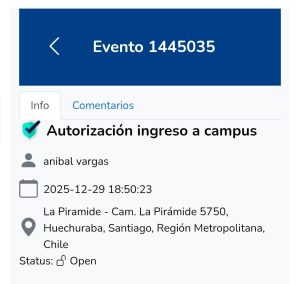
If you have not yet sent us your details, please do so as soon as possible.
- Official Airport Transport
For those needing transportation from the airport, we recommend always using official transport services to avoid scams with unlicensed providers. The offices for official transport services are located within the airport grounds.
- Public transport in Santiago
Public transport in Santiago is by means of buses (RED) and urban train (Santiago Metro)
Download the APP for RED MOVILIDAD here
Map of the Red Metro here (underground train)
Payment for urban transport is unified through the use of the BIP Card, which can be purchased and recharged at any metro station, at human cashiers (cash only) or automatic recharge machines, which accept cash and credit/debit cards.
The BIP card can be recharged using the RED MOVILIDAD APP or through the website tarjetabip.cl. If you need to top up your BIP card online using your credit card, select the WEBPAY option during the payment process. After topping up electronically, you must validate the balance at any self-service kiosk or ATM in metro stations.
If your phone has NFC technology, you can directly validate your BIP card top-up through the RED MOVILIDAD app.
RED MOVILIDAD is integrated with Google Maps. If you search for a specific address, it will provide you with transportation options and bus stops.
- WhatsApp Group
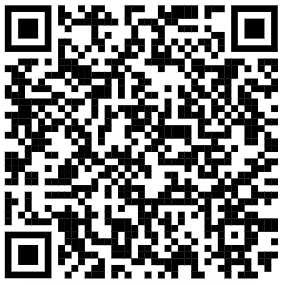
Join our WhatsApp group by scanning or clicking on the QR code